
Spades by Staple Games
Staple GamesCard
4.51.45K Reviews
- Version
- 2.07
- Installs
- 500.00K
- Age Rating
- Everyone
Screenshots
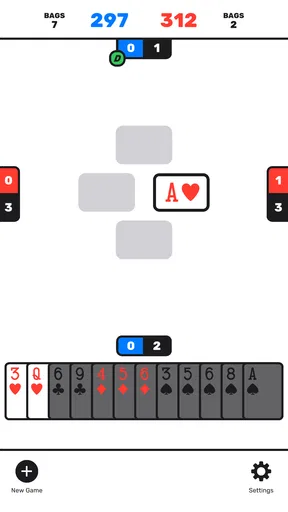
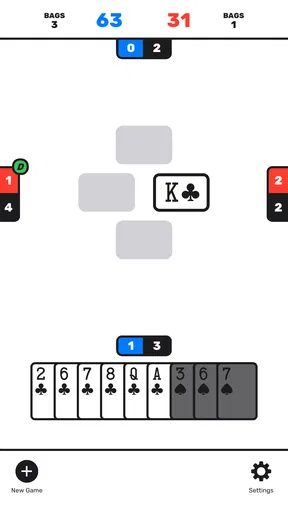
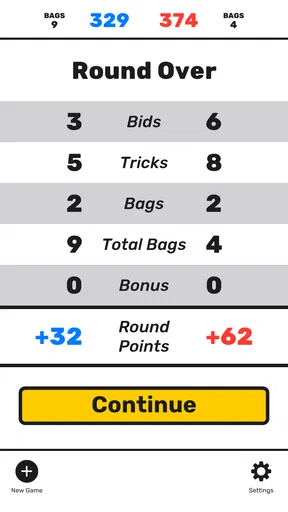
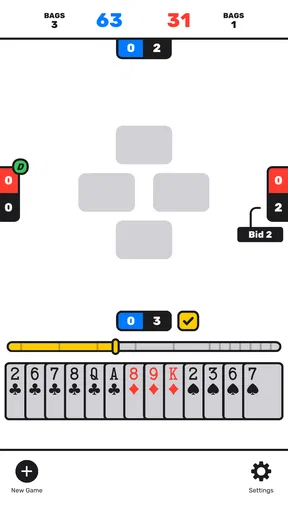
Our Review of Spades by Staple Games
 Analysis by Appyee
I spent time with Spades from Staple Games as a straightforward card game for Android, and its biggest strength is how quickly it lets me get into a hand. It is free to play, rated for Everyone, and built around the familiar trick-taking game rather than a large collection of extra systems. That focus makes it easy to understand, but it also means the experience depends heavily on whether you already enjoy Spades and whether the presentation works comfortably for you.
My overall impression is of a compact game that fits short breaks well. I can imagine opening it while waiting for an appointment, taking a few hands during a commute, or using it as a low-pressure way to revisit a card game I already know. It is not trying to replace a full tabletop session with friends, and I would not choose it for someone looking for a visually rich or deeply customizable card platform. Its appeal is narrower and more practical: a familiar game in a small, uncomplicated package.
How Spades feels to use in different situations
I find Spades most useful when I treat each hand as a small, self-contained activity rather than something to squeeze into every spare second. That makes it easier to enjoy the decisions without losing track when the day gets busy. In the next section, I look at how that focused rhythm holds up in ordinary play and what helps me get more from it.
Readability and navigation come before strategy
For a card game, the first accessibility question is not whether the rules are sophisticated. It is whether I can tell what is happening without fighting the screen. In Spades, the useful information needs to be understood at a glance: my hand, the cards already played, the current trick, and the choices available when it is my turn. A clean layout matters because card games punish hesitation. If I have to search around the screen, I lose track of the suit that was led or the cards that have already been used.
The simple structure works in its favor. I do not have to learn a complicated menu system before playing, and the game’s identity is immediately clear from the first screen. That makes it approachable for someone who knows traditional Spades and wants to play without reading a long tutorial. It is also useful for a less experienced player who can learn by following the rhythm of a hand rather than navigating a large collection of modes.
Still, familiarity with Spades makes a noticeable difference. The game is much easier to enjoy if you already understand tricks, following suit, and the role of spades as the trump suit. A newcomer may know that it is a card game but still need time to understand why a particular card can or cannot be played. I would recommend learning the basic rules away from a live match if the player is completely new, because a quick digital interface does not automatically explain every strategic consequence.
One useful habit is to pause mentally before tapping a card. I look first at the suit that was led, then at the cards already played, and only afterward at the strongest card in my hand. That small routine is especially helpful on a phone, where cards can be close together and a fast tap may commit me before I have checked the trick. It also turns the game into a more deliberate experience for players who need extra processing time.
The game’s rating of 4.5 from around thirty-nine thousand ratings suggests that many players find the basic experience appealing, while the roughly one thousand four hundred written reviews show that people have taken time to comment on it. I treat those figures as a sign of broad interest rather than a guarantee that every presentation choice will suit every player. A high average cannot tell me whether the card layout is comfortable for someone with low vision or whether the pace feels manageable for someone who needs more time.
Motor and sensory considerations
Spades is naturally less demanding than an action game. There is no need for rapid movement, camera control, or repeated combinations of buttons. Most of the physical task is selecting a card, which makes it a reasonable option for someone who prefers slower, turn-based interaction. I can play it with one hand when the phone is positioned comfortably, although the exact ease depends on the device and the player’s reach.
That simplicity should not be confused with universal ease. A card game still requires accurate tapping. If the cards are displayed close together, a player with tremors, reduced dexterity, or difficulty making precise touches may occasionally select the wrong card. I would use a stable grip, place the phone on a table when possible, and avoid playing while walking or holding other items. Those are ordinary adjustments, but they make a meaningful difference because a mistaken selection can affect the entire trick.
Visual attention is another consideration. Spades asks me to distinguish suits, ranks, and the changing state of a trick. Players with color-vision differences should not have to rely on color alone, since the suit symbols and card values are the meaningful information. Even so, a smaller screen can make symbols and numbers harder to separate, especially in dim light or under glare. I found that increasing the phone’s general text size may help with surrounding interface elements, but it should not be assumed that every in-game card graphic will scale in the same way.
For players sensitive to movement, flashing, or sound, the safest approach is to test a quiet hand in a comfortable environment before committing to a long session. I would not describe the game as sensory-heavy, because it is a calm card format rather than an effects-driven game, but personal sensitivity varies. Playing with lower device volume, a darker room without screen glare, or a larger tablet can make the experience more comfortable without changing the rules.
A practical strategy for players who tire easily is to treat each hand as a complete stopping point. There is no reason to force a long session just because a match has started. I can play a few tricks, put the phone down, and return later when concentration is better. That matters in Spades because fatigue affects judgment: keeping track of suits and estimating which high cards remain becomes harder when I am rushing or mentally overloaded.
Situational access in everyday use
The best setting for this game is somewhere quiet enough to think and stable enough to hold the phone. A short break at home is ideal. I can also see it working during a waiting period, provided I am not expected to respond immediately to someone else. The turn-based structure makes it more forgiving than a real-time game, but I still prefer not to start a hand when I know I may be interrupted every few seconds.
That distinction is important for people who have unpredictable schedules. Spades is suitable for fragmented leisure, but only when the player can safely leave the device for a moment. If I am waiting for a call, supervising a child, or moving through a crowded place, the game becomes less comfortable because the mental state of the hand is easy to lose. A physical deck has the same problem, but a phone can also dim, lock, or be picked up in a hurry, adding another layer of interruption.
The game’s Everyone content rating makes it a plausible family-friendly choice, especially for households that already know the card game. I would still introduce it differently to different ages. A child who understands suits and numbers may enjoy the immediate play, while a younger player may need an adult to explain why following suit matters. The digital format removes the need to shuffle or deal, but it does not remove the value of teaching the logic behind each move.
For older players, the strongest benefit is convenience. There is no need to find a full group, prepare a table, or keep a deck nearby. Someone who remembers Spades from social play can open the game for a quick reminder of the rhythm. On the other hand, a phone screen may be less comfortable than large physical cards, particularly for anyone who prefers to spread a hand across a table and study it without tapping.
It also works as a low-pressure introduction to strategic thinking. I can use a hand to practice counting suits, remembering which cards have appeared, and deciding when not to spend a powerful card. Those skills are more useful than simply chasing the highest card in every trick. A good beginner’s rule is to watch the first few tricks before trying to predict the entire hand. That reduces the amount of information I need to hold in mind and makes the game less intimidating.
Where it differs from other card-game options
Compared with a physical deck, Spades removes setup and cleanup. I do not need a table large enough for four hands, and I cannot accidentally misdeal. That is a genuine advantage for solo play or for anyone who wants convenience. The trade-off is that the screen decides how the information is presented. With physical cards, I can rearrange my hand in a way that suits me; in an app, I have to work with the layout provided.
Compared with broad card-game collections, this title is more focused. A collection may offer solitaire, hearts, rummy, or several variations in one download, which is better value for someone who wants variety. Spades is the better fit when I specifically want this game and do not want unrelated modes competing for attention. The focused design can feel refreshing, but it also leaves less to explore once I have played enough hands.
It is also different from a social multiplayer platform. A dedicated multiplayer service may be preferable if the main goal is to invite friends, communicate during matches, or build a regular online table. I would choose this game for a quick personal session, not as a replacement for the conversation and unpredictability of playing across a real table with people I know.
That comparison helps explain the game’s audience. It is not the obvious choice for someone who wants tournaments, extensive rules variations, or a social hub. It makes more sense for a player who values a direct route to Spades and is happy to keep the experience centered on the cards themselves.
Remaining barriers and small sources of friction
The main limitation is that a compact card game can leave little room for recovery from mistakes. A wrong tap, a missed suit symbol, or an interrupted moment may change the hand before I have time to correct myself. I therefore would not recommend it as the first choice for someone who needs generous undo controls, very large card faces, or highly adjustable visual presentation. Those needs are not minor preferences; they determine whether the game feels relaxing or frustrating.
Another barrier is the learning curve for people who do not already know Spades. The game may be simple to start, but strategy is not the same as understanding the interface. New players need to learn when they must follow suit, how trumping changes a trick, and why a cautious bid can be better than an ambitious one. I would play alongside a beginner and explain decisions rather than expect the app alone to teach every nuance.
The free price makes trying it easy, but free does not automatically mean ideal for every context. I still judge a game by how well it fits my attention, vision, dexterity, and preferred style of play. Someone who wants a completely distraction-free tabletop simulation may be happier with a physical deck, while someone who wants a wide range of accessibility controls should compare it with a card app that advertises those controls clearly.
The version number is 2.07, and the game was released on April 20, 2023, with Android support beginning at version 7.0. Those details matter when deciding whether an older phone can run it. A device that meets the minimum system requirement may still provide a different level of comfort depending on its screen size, touch response, and battery condition. I would check the phone itself before judging the game’s usability, especially if the device is small or has a worn touchscreen.
Staple Games has kept the concept recognizable, which is both a strength and a boundary. I appreciate not having to learn an elaborate system, but I also cannot turn it into a fully personalized card table. Players who need unusual contrast settings, alternative input methods, or a very specific pace should approach it cautiously and test the actual interface on their own device.
My inclusive verdict
I recommend Spades for people who already enjoy the classic game and want a convenient way to play without arranging a table. Its free entry, Everyone rating, focused design, and modest Android requirement make it approachable for many casual players. I especially like it for short, quiet sessions where I can concentrate on one hand rather than commit to a large game or a busy social platform.
Its inclusive appeal comes mostly from the nature of the game: slow turns, limited physical input, and familiar card logic. That can suit players who avoid fast action, complex controls, or visually crowded game worlds. The experience can also be adapted informally through a larger screen, a stable playing position, lower volume, and deliberate pauses between decisions.
However, I would not present it as the right choice for everyone. Players with low vision may need larger cards than their phone provides. People with precise-touch difficulties may find selection demanding. Newcomers may need personal instruction, and players seeking multiplayer conversation, multiple card games, or extensive customization will probably find a broader alternative more satisfying.
My final advice is simple: if you know Spades and want a direct digital version for everyday breaks, this is an easy game to try. Before settling in, check whether the card faces are comfortable on your device, play the first hand somewhere stable, and give yourself time to read each trick. The best reason to choose it is its focused simplicity, while the main reason to skip it is the lack of room for players who need highly tailored presentation or broader game variety.
With over five hundred thousand installs, it has clearly reached a substantial audience, but popularity should remain secondary to personal fit. I would keep it on my phone for uncomplicated Spades sessions, not as my only card-game app. For the right player, that narrow purpose is exactly what makes it useful; for everyone else, a physical deck or a more configurable card platform may be the better everyday companion.
Verdict
Strengths of Spades by Staple Games
- Simple rules and controls make it easy for beginners to start playing.
- Quick matches fit well into short breaks or casual gaming sessions.
- Several difficulty levels provide a gradual challenge for solo players.
- Clean interface keeps the cards and score easy to read on small screens.
- Offline play lets you enjoy matches without a constant internet connection.
Limitations of Spades by Staple Games
- Limited customization may disappoint players wanting more card table options.
- Computer opponents can feel predictable after extended play.
- Ads may interrupt the experience, especially between completed rounds.
- Solo gameplay lacks the social interaction of playing with real opponents.
- Advanced Spades players may find the strategy and features fairly basic.
Similar Picks in This Category
View All
Solitaire - Classic Card Games
MobilityWare4.6

UNO!™
Mattel163 Limited4.3

Spider Solitaire: Card Games
MobilityWare4.6

Solitaire.com - Classic Cards
Tripledot Studios Limited4.7

Plants vs. Zombies™ Heroes
ELECTRONIC ARTS4.1

Hearthstone
Blizzard Entertainment, Inc.4.1
Frequently Asked Questions
What is Spades by Staple Games?
Spades by Staple Games is a mobile version of the classic trick-taking card game for Android and iOS. You play with a standard deck against computer-controlled opponents, bidding how many tricks you expect to win before each hand. The app is designed for quick, casual matches and keeps the traditional Spades rules while presenting them in a simple, touch-friendly format.
How do you play Spades by Staple Games?
Each player receives cards and bids the number of tricks they believe they can take. Spades are always the trump suit, meaning they usually beat cards from other suits. Players must follow the suit led whenever possible, and the highest card in the led suit or the highest spade wins the trick. Your score depends on meeting your bid, so careful bidding is just as important as playing strong cards.
Can I play Spades by Staple Games offline?
The game is primarily suited to offline play against built-in computer opponents, which makes it convenient when you do not have an internet connection. Availability of specific online features can depend on the version installed and the developer’s current updates. If you are downloading it for travel or limited connectivity, it is still sensible to launch the app once while online and confirm that the desired mode works properly.
Is Spades by Staple Games free to download?
Spades by Staple Games is generally offered as a free download, although the exact availability, advertising, and optional purchase structure may vary between Android and iOS. Free access can include advertisements or additional features presented through in-app purchases. Before installing, check the store listing for the current price, supported devices, permissions, and any purchase details so there are no surprises.
Is Spades by Staple Games suitable for beginners?
Yes, the app is approachable for players who already know the basics of Spades and for newcomers learning the game. Its straightforward interface makes it easy to select cards and follow each trick, while computer opponents let you practice without needing other people online. Beginners should spend time understanding bidding, avoiding overbids, and remembering that spades cannot normally be led until they are broken.
Play our best games!


